Specialist BMW diagnostic tools are independent interfaces and programs used beside BMW's own workshop system. Factory ISTA, with an ICOM or another supported head, remains the path for guided diagnostics, wiring information and BMW's own programming process. A UK independent-workshop supplier states that dealer diagnostic tools are not intended for reprogramming second-hand modules. The tools below are sold to fill parts of that gap, or to talk to older modules without a full ISTA installation. [1]
Everything in the capability column is a maker or seller description. This wiki has not tested the tools. A listed chassis or control unit is not a promise that a particular job will work. Key and immobiliser work needs authority to work on that vehicle. Several makers also advertise odometer changes; those steps are not described here. See mileage programmers for the UK position on an inaccurate recorded mileage.
Where each tool sits
| Tool | Maker | What the maker says it adds | Hardware |
|---|---|---|---|
| BMW Explorer | Auto-Explorer | BMW diagnostics, optional coding, key and ISN work | USB adapter and a computer |
| Autohex II | Microtronik | Individual module programming, coding, ISN, keys; HW5 described as an ISTA/D pass-through | WVCI interface and a computer |
| ABRITES AVDI | Abrites | Multi-make diagnostics plus separate BMW coding, key and module licences | AVDI and a computer |
| VVDI BIMTool Pro | Xhorse | BMW diagnostics, DoIP programming and coding; described as able to carry E-Sys and Rheingold | BIMTool Pro and a computer |
| Yanhua Mini ACDP | Yanhua | Optional BMW modules for CAS, FEM/BDC, DME ISN, FRM and gearboxes, often on the bench | ACDP master, interface boards and a computer or phone |
| CGDI BMW | CGDI | Diagnosis, E and F/G programming and coding, and key matching | CGDI interface and a computer |
| Opus DrivePro2 | Opus IVS | Autologic European software with native BMW programming, plus J2534 for the workshop's own OEM software | DrivePro2 tablet and its vehicle interface |
| SECONS BimCOM | SECONS | Module identification, fault codes, live data and limited coding from 1996, including the 20-pin socket | USB interface and a computer |
| BMW Scanner / PA Soft | Third-party sellers | Module scan, live data and coding backup on selected older chassis such as E38, E39 and E46 | USB diagnostic interface and a computer |
BMW Explorer
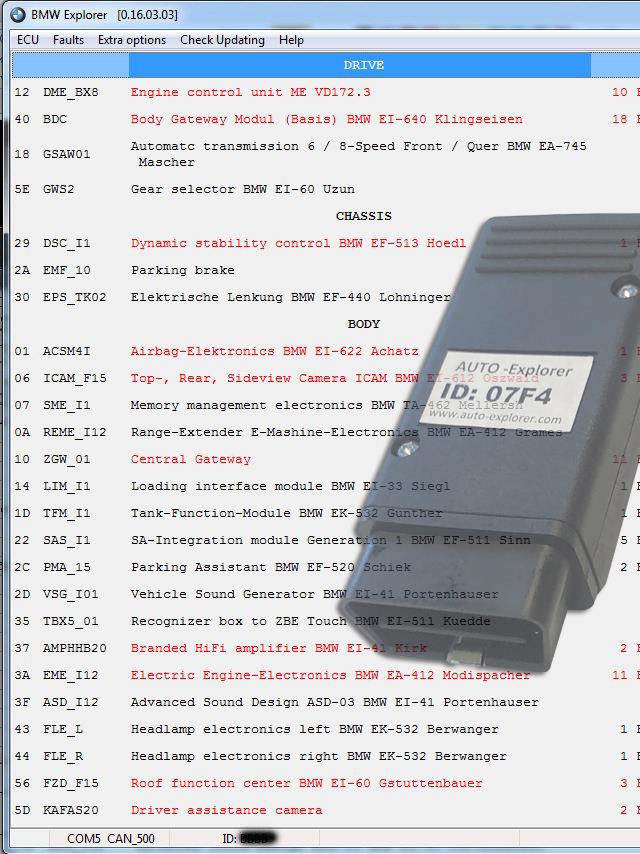
Auto-Explorer's own system for BMW, MINI and Rolls-Royce diagnostics, with optional licences for coding, keys and immobiliser work. See BMW Explorer.
Autohex II
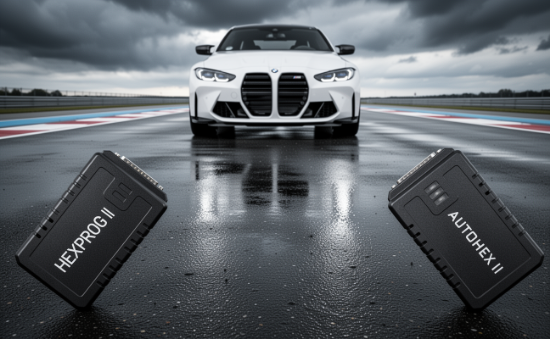

Microtronik sells individual module programming, coding, ISN and key functions, and describes the HW5 interface as usable with ISTA/D. That pass-through does not include a right to use BMW software. See Autohex II for BMW.
ABRITES AVDI

A multi-make interface. BMW and MINI coding, keys and module adaptation are separate licences such as BN012. See ABRITES AVDI for BMW.
VVDI BIMTool Pro

Xhorse's BMW interface. The maker's BMW page describes Ethernet and DoIP programming and says the tool can be used with E-Sys and Rheingold. BMW software still needs its own licence. See VVDI BIMTool Pro.
Yanhua Mini ACDP
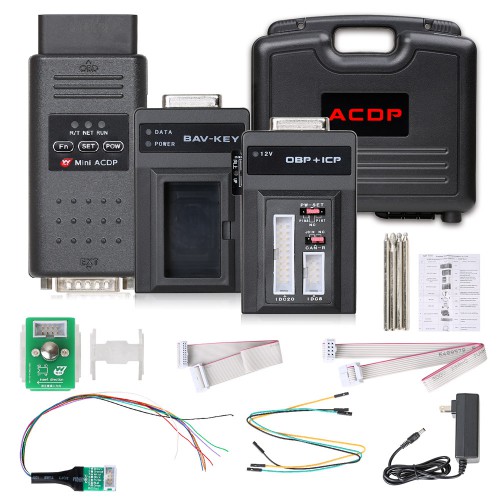
A small master used with purchased BMW modules and clip-on boards, on a computer or phone. The shop also sells a later ACDP-2 master. See Yanhua Mini ACDP for BMW.
CGDI BMW

A BMW-specific interface and Windows program for diagnosis, programming, coding and key matching. The published software log identifies CGDI BMW V3.2.4.1, dated 12 September 2024. See CGDI BMW.
Opus IVS DrivePro
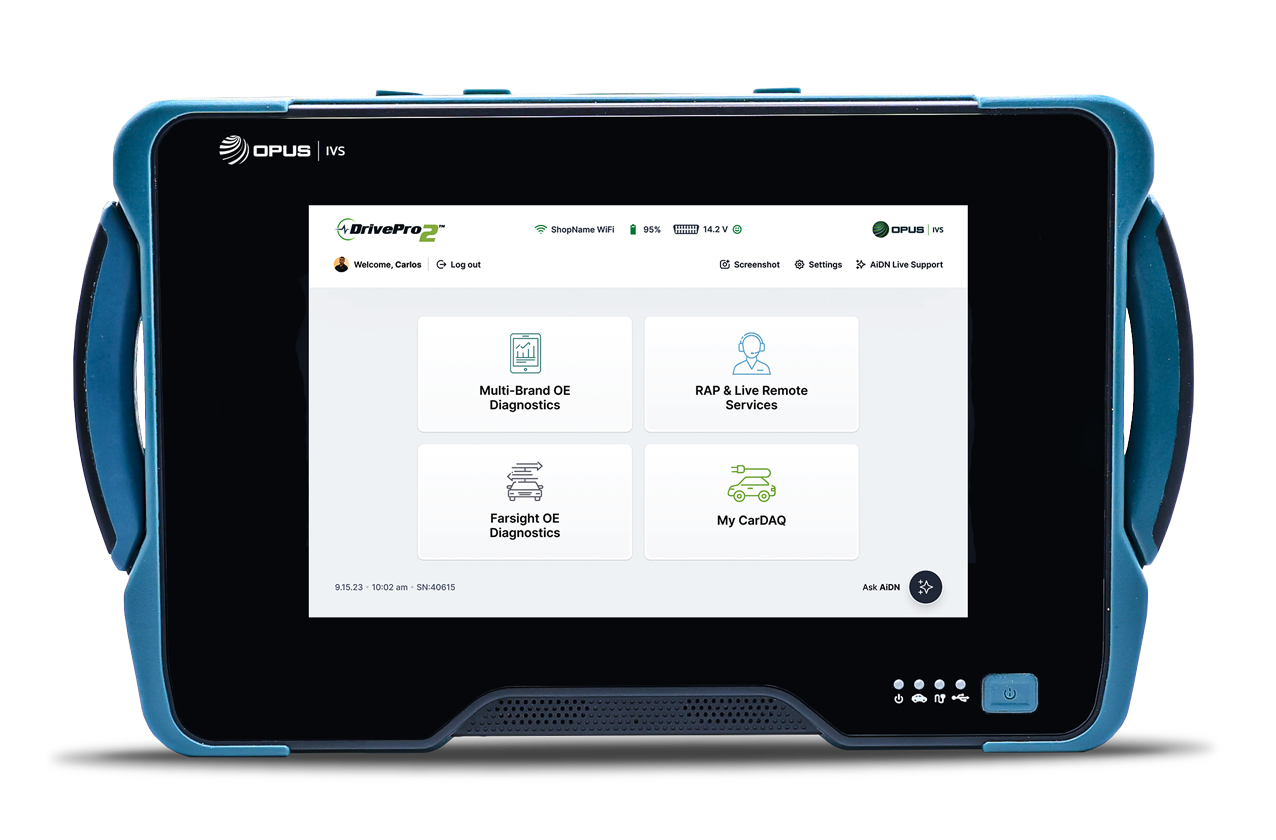
The current Opus platform, carrying Autologic European software. Opus states native on-tool programming for BMW and Jaguar Land Rover. Running ISTA on the same unit still depends on the workshop's own BMW access. See Opus IVS DrivePro for BMW.
SECONS BimCOM

A lighter BMW and MINI diagnostic program for control units from 1996, including cars that still use the round 20-pin socket. Coding is described as limited. See SECONS BimCOM.
BMW Scanner / PA Soft

A long-standing third-party program for module access on chassis such as the E38, E39, E46, E53, E83 and E85. Current kits are sold by independent shops. See BMW Scanner PA Soft.
What this does not replace
ISTA and ICOM, or an ENET connection where that path is valid, remain the factory route for repair instructions and BMW programming. E-Sys, INPA, NCS Expert and WinKFP are BMW engineering programs, not the aftermarket tools on this page. A pass-through claim for Autohex, BIMTool Pro or DrivePro2 means the interface may carry that software. It does not supply a BMW account or data entitlement.
Pictures that were not copied
Some maker pages show software windows that include a full vehicle identity number, and some show bench contact or instrument-cluster work. Those frames are not reproduced here. The Explorer picture is a crop of the maker's illustration for that reason. Autohex programming screens that include a vehicle identity number were left on Microtronik's site; the bench menu above does not include one.
Sources
Maker and seller pages accessed 11 November 2026. Photographs are credited under each figure.
- [1] Maverick Diagnostics: BMW Group buyer's guide, including the stated limit on second-hand module programming.
- BMW diagnostics, the factory equipment index.