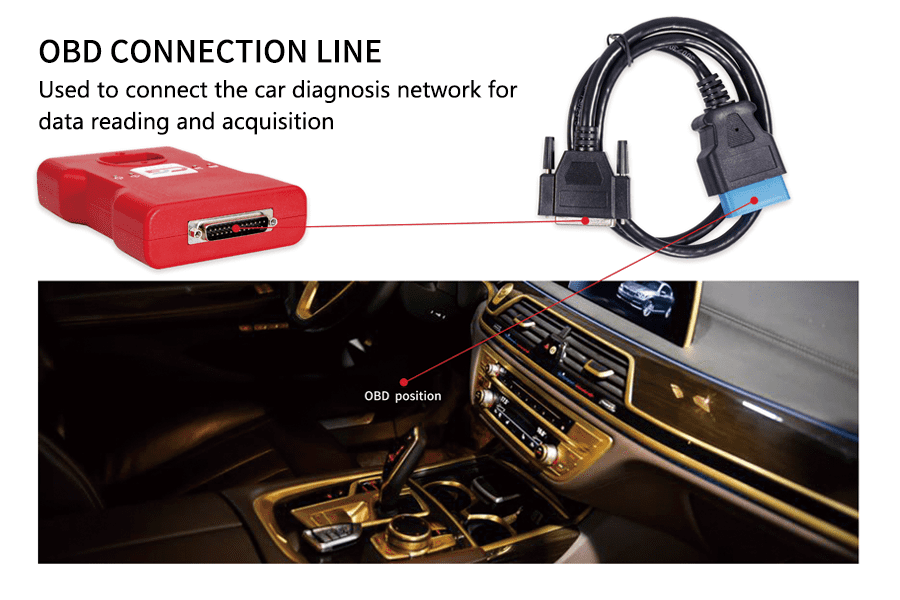
CGDI BMW is a BMW diagnostic and programming interface from CGDI, whose English product site is cgditools.com and whose Chinese download index is published by 深圳长广科技有限公司. The interface connects to a Windows computer and to the vehicle diagnostic socket. It is a third-party tool, separate from BMW ISTA and ICOM. The maker's download list identifies the BMW program as CGDI BMW V3.2.4.1, dated 12 September 2024. [1] [2]

Diagnosis, coding and programming
The product page describes reading and clearing fault codes, programming and coding of E-series modules, and programming and coding of F and G-series modules. It also describes vehicle-order changes on those coding functions. The page lists a long set of BMW and MINI chassis codes. A chassis on that list is the maker's coverage claim, not evidence that every module or every job is supported. [1]
The English update log describes ISN read and write additions for selected petrol DME families, including N13, N20, N55 and B38 examples, and names some EDC17 and MEVD17 types. Treat that as the scope of that log entry. Later control units need the current software notes, not this summary. [3]
Keys
The product page describes reading key and immobiliser information, matching a key to a free position, disabling a lost key and enabling it again, and synchronising the electric steering lock or the DME when the car still does not start after key work. FEM and BDC key matching appears in the update log, which is limited to stated software versions of those modules. This page does not repeat those steps. Authority to work on the vehicle is required. [1] [3]
The same product page lists a mileage function. It is not described here. See mileage programmers.
Workshop notes
The maker gives the company address as Building A3, LiLang Software Park, Nanwan Street, Longgang District, Shenzhen, and names sales@obdcg.com and techsupport@obdcg.com. Confirm the control-unit part number and the installed software version before programming. Use a stable, correctly rated power supply. Interrupted programming can leave a module unusable. CGDI's other programmers, including CG100X, are different products. [1]
Related pages
Specialist BMW diagnostic tools · BMW Explorer · Autohex II for BMW · Yanhua Mini ACDP for BMW · CGDI CG100X
Sources
Maker pages accessed 11 November 2026. Functions are the maker's descriptions.