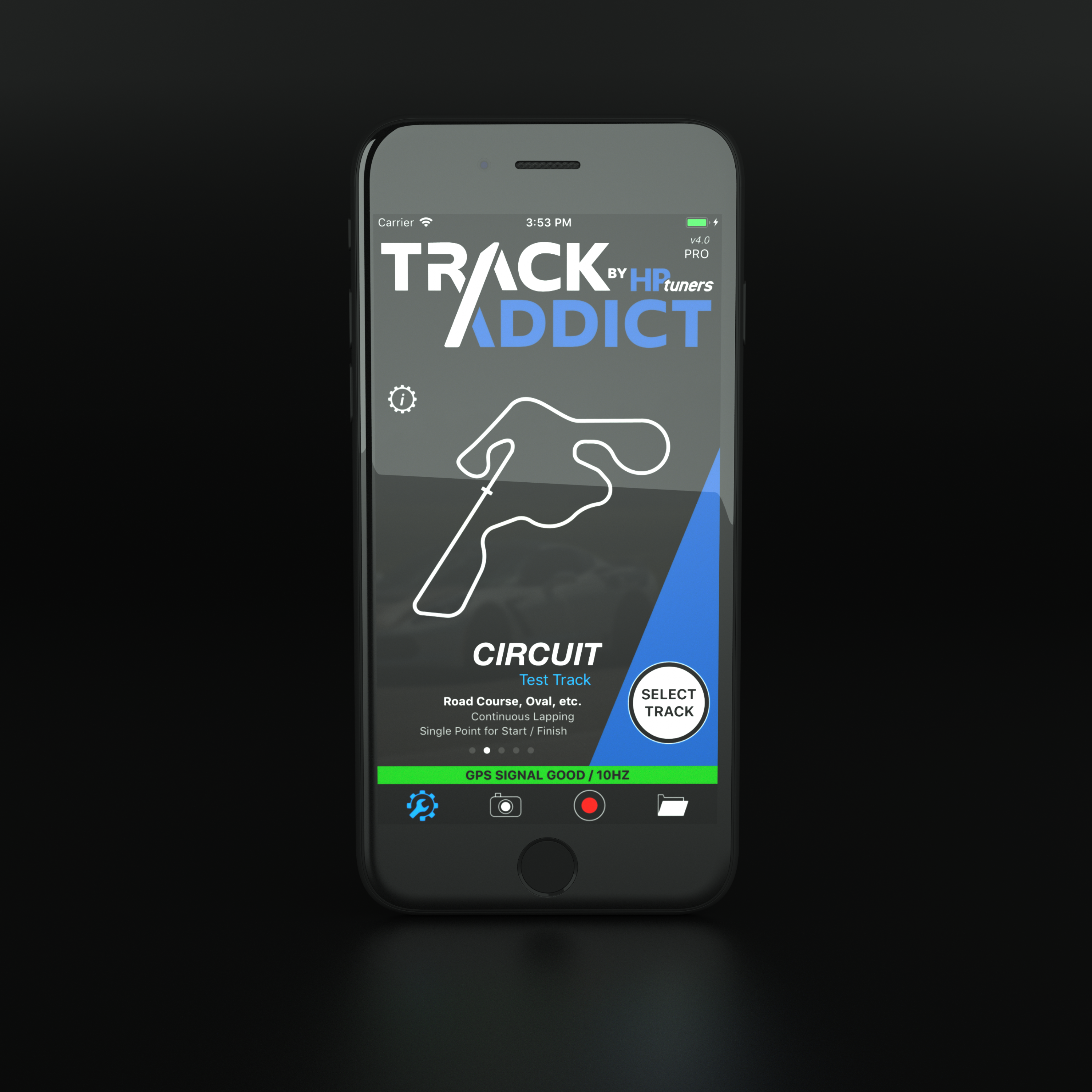
TrackAddict is HP Tuners' mobile motorsport telemetry and video app for iOS and Android. It can use the phone's GPS to record a session, display lap or run data and record video. A compatible OBD-II interface and vehicle are optional for vehicle channels; GPS, interface and phone compatibility affect the data available. It is distinct from VCM Scanner, the PC application for diagnostics and calibration logging. HP Tuners: TrackAddict and RaceRender.
What it records
- GPS position and speed, track or run timing, and sector or lap information where configured.
- Video from the device when recording is enabled, with data overlays in supported playback and export workflows.
- Optional OBD data such as engine speed, throttle and temperatures where the vehicle and adapter provide them. Device compatibility and channel availability vary by phone operating system and interface.
Typical session
- Configure location permissions, the event mode and track, plus optional external GPS or OBD devices.
- Secure the phone and configure the camera and channels before recording. In circuit mode the app can start automatically at the documented speed threshold, or the user can start manually.
- Stop the session, review the run and export data as appropriate. HP Tuners documents CSV, GPX, KML and VBO exports; RaceRender supports further video/data overlay work.
The vendor describes a free edition with limited stored recordings and additional paid features. Versions and availability can change; check the current app listing. Recording quality depends on GPS reception, sample rate, phone settings and OBD hardware. TrackAddict documentation; road-course quick start.
Data analysis software
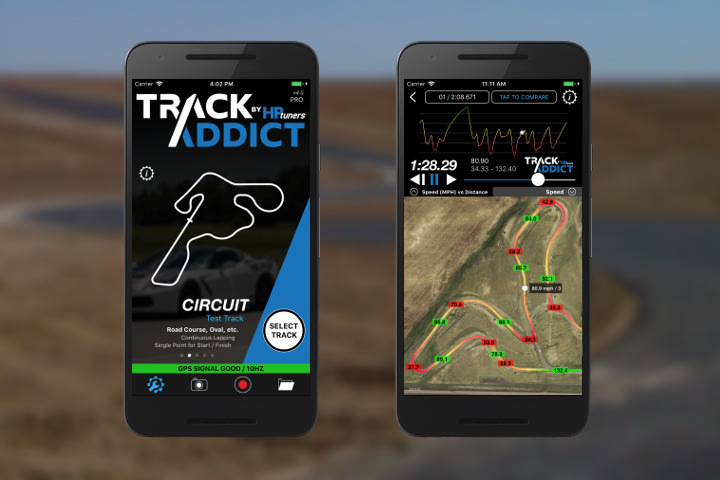
TrackAddict runs on compatible iOS and Android devices. After a session, open the recording to inspect driving lines, data graphs and statistics, and compare laps or runs. The available channels depend on the phone, GPS and optional OBD-II equipment. TrackAddict can export recorded data and video for use in other workflows. The manufacturer lists a free edition and paid upgrades, with limits depending on the platform and edition; live telemetry requires an upgrade. HP Tuners TrackAddict and RaceRender information; TrackAddict documentation.
RaceRender is HP Tuners' separate Windows and macOS desktop video and data-overlay application. Transfer a TrackAddict session, including its video and data, then synchronise footage and select gauges or other overlay elements for the output video. It is primarily a presentation and video-production workflow alongside TrackAddict's lap analysis. HP Tuners offers a free edition and paid tiers with different video-length, branding and editing limits; check the current edition comparison and downloads. Wi-Fi transfer is supported; check the vendor's current operating-system and device requirements.
VCM Scanner is a separate PC diagnostic and calibration-logging application, not a replacement name for TrackAddict. For that workflow see HP Tuners VCM Scanner.
Step-by-step: record, review and export a session
- Install TrackAddict from the Apple App Store or Google Play. Open it, grant the requested location permissions and configure any compatible external GPS or OBD interface in settings. Available vehicle channels depend on the vehicle and interface.
- For a circuit session select Circuit mode and Select Track. Choose an existing track or add the correct layout and its start/finish and sector points. Mount the phone securely with a clear view of the sky and configure video before driving.
- Tap the red Record control before the session; the manufacturer says Circuit mode normally waits until the vehicle reaches its start threshold, with manual start also available. When finished, stop recording and open the Sessions folder.
- Select the session and review the lap list. Use a lap’s Detail button to inspect the track map, statistics and data graphs and compare laps or runs. Begin with speed against track position, then examine any throttle, RPM or other channels actually recorded. Large gaps or implausible GPS data are a reason to check reception before drawing conclusions.
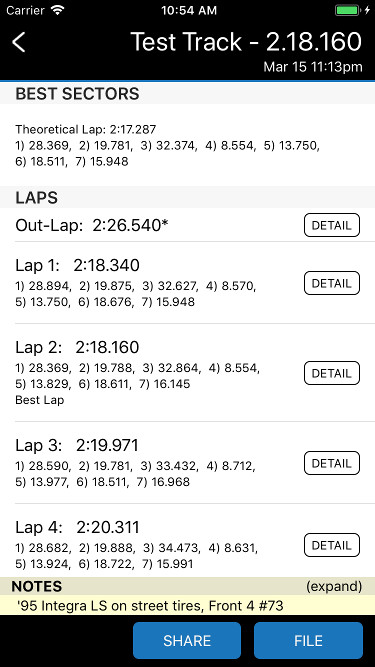
TrackAddict lap list: use a lap’s Detail button to inspect it. The appearance can differ by version. Image: HP Tuners / RaceRender, reproduced with permission; manufacturer guide. TrackAddict recorded-lap example with speed graph and track map; appearance varies by app version. Image: HP Tuners / RaceRender, reproduced with permission; manufacturer source. - If the phone recorded video, select the desired consecutive laps and choose Video to review the data overlay. Video captured separately by an external camera must be transferred separately for a RaceRender project.
- To move data to another application, open the session and use Share → Send Data File; select an appropriate format such as interpolated CSV, GPX, KML or VBO. Keep the original recording as well, since exported formats may represent the data differently.
Sources: HP Tuners road-course quick start and TrackAddict getting-started guide. Free and paid edition limits and button names depend on platform and version.
Optional: transfer to RaceRender for a video overlay
- Install and open RaceRender for Windows or macOS. On the computer use its file menu to open the receive-files-over-network/Wi-Fi screen; the phone and computer must be on the same local network.

RaceRender’s receive-files window waiting for a network connection; interface may vary by version. Image: HP Tuners / RaceRender, reproduced with permission; manufacturer transfer guide. - On the phone open the TrackAddict session, choose Share → WiFi Transfer, choose whether to include available phone video, and select the computer. Leave RaceRender’s receive screen open while it discovers and receives the session.
- After transfer, RaceRender creates a project and offers an overlay template. Select one, check that the data and video align, adjust the layout as desired, then export the finished video. If no on-device video was recorded, import compatible separately recorded footage using the RaceRender workflow.
See RaceRender’s data input and TrackAddict transfer instructions and network transfer guide. RaceRender and TrackAddict are separate products with their own free and paid edition limits.
Official visual guide
HP Tuners' illustrated recording guide shows the app's session workflow. See also MPVI4 and VCM Scanner.
The HP Tuners TrackAddict App Store listing includes a gallery of application screenshots.