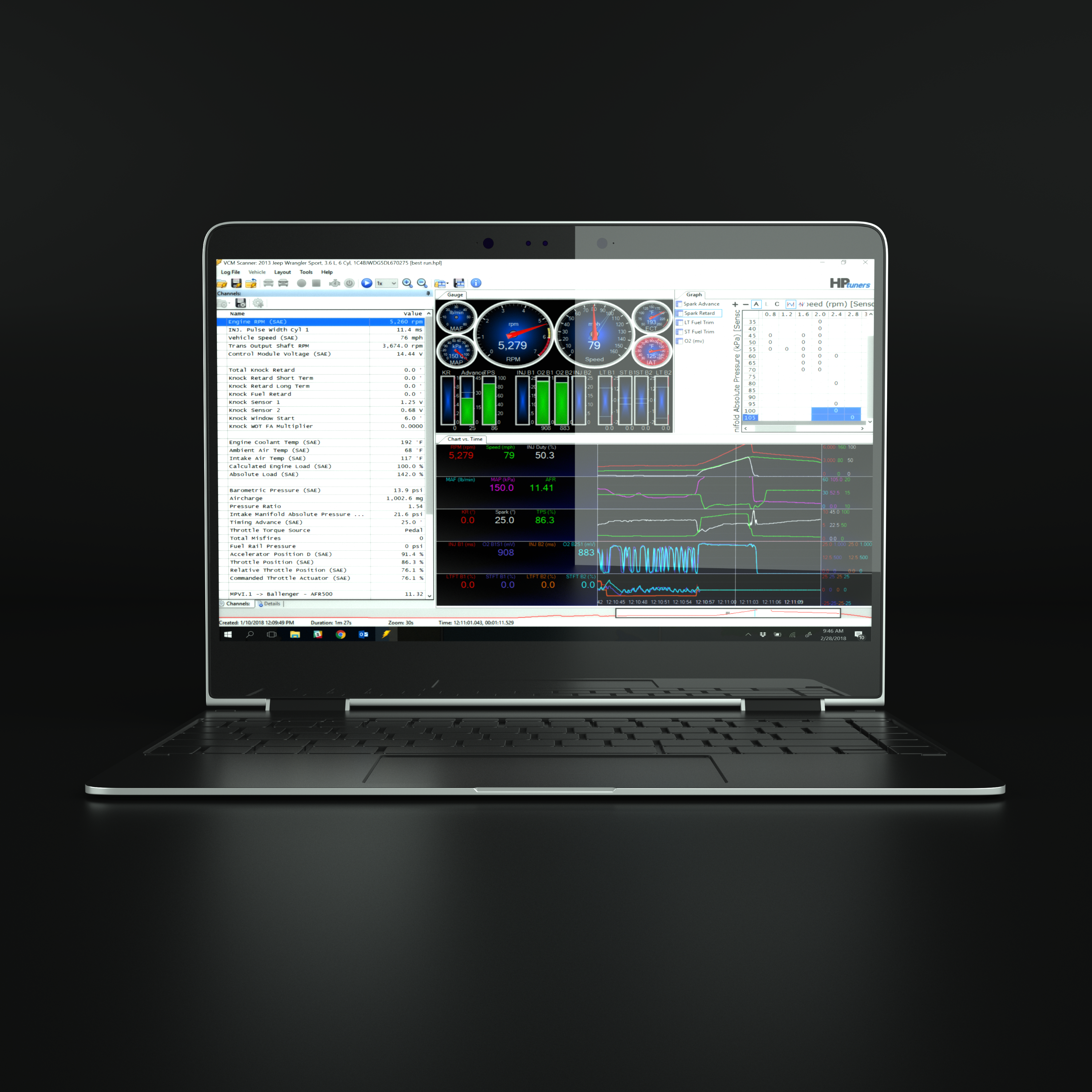
VCM Scanner is the diagnostics and data-logging application supplied in HP Tuners VCM Suite. With a supported interface and vehicle it reads diagnostic trouble codes and records available vehicle data, helping a tuner evaluate engine and transmission behaviour before and after calibration changes. The exact channels, module access and logging features vary by vehicle, interface and software version. HP Tuners: getting started with Scanner.
Displays and logging
- The Channels list defines the parameters to acquire from a vehicle or supported external inputs.
- Gauge panels show live values; chart-versus-time panels show changes over time; graph panels group data in a table or histogram useful for examining operating regions.
- Layouts and channel configurations can be saved for a particular task. Adding a graph or gauge does not automatically add its input channel.
- On supported interface and vehicle combinations, standalone data logging records without a laptop attached and can be retrieved later.
Basic workflow
- Connect to the vehicle, establish its profile and read and record fault codes.
- Select the necessary controller and sensor channels, including any configured external inputs; match channel units and update rates to the question being investigated.
- Start and stop recording under appropriate conditions and save the log. Inspect a time chart for the event, and use suitably configured histograms to compare related parameters.
- When assessing a calibration change, compare the new log with the baseline. Validate commanded and measured mixture with suitable instrumentation; fuel trims only describe correction when the relevant closed-loop strategy is active.
HP Tuners states that scanning and logging generally do not require a vehicle write licence, although a compatible registered interface is still needed and controller or feature restrictions apply. Licences versus credits.
Official screenshots and further reading
- VCM Scanner getting started and illustrated controls.
- Scanner layouts: gauges, graphs and charts.
- Scanner channel and vehicle-profile configuration.
- HP Tuners VCM Scanner video walkthrough.
See the HP Tuners VCM Suite overview for an image of the VCM Scanner interface.