Overview
A motorsport dash logger displays selected channels to the driver and records data for later analysis. The ECUMASTER ADU5 and ADU7 and the Bosch Motorsport DDU 11 combine configurable displays and logging, but differ in storage, optional features and software. The figures below are manufacturer specifications, not a guarantee that a given car supplies every channel.
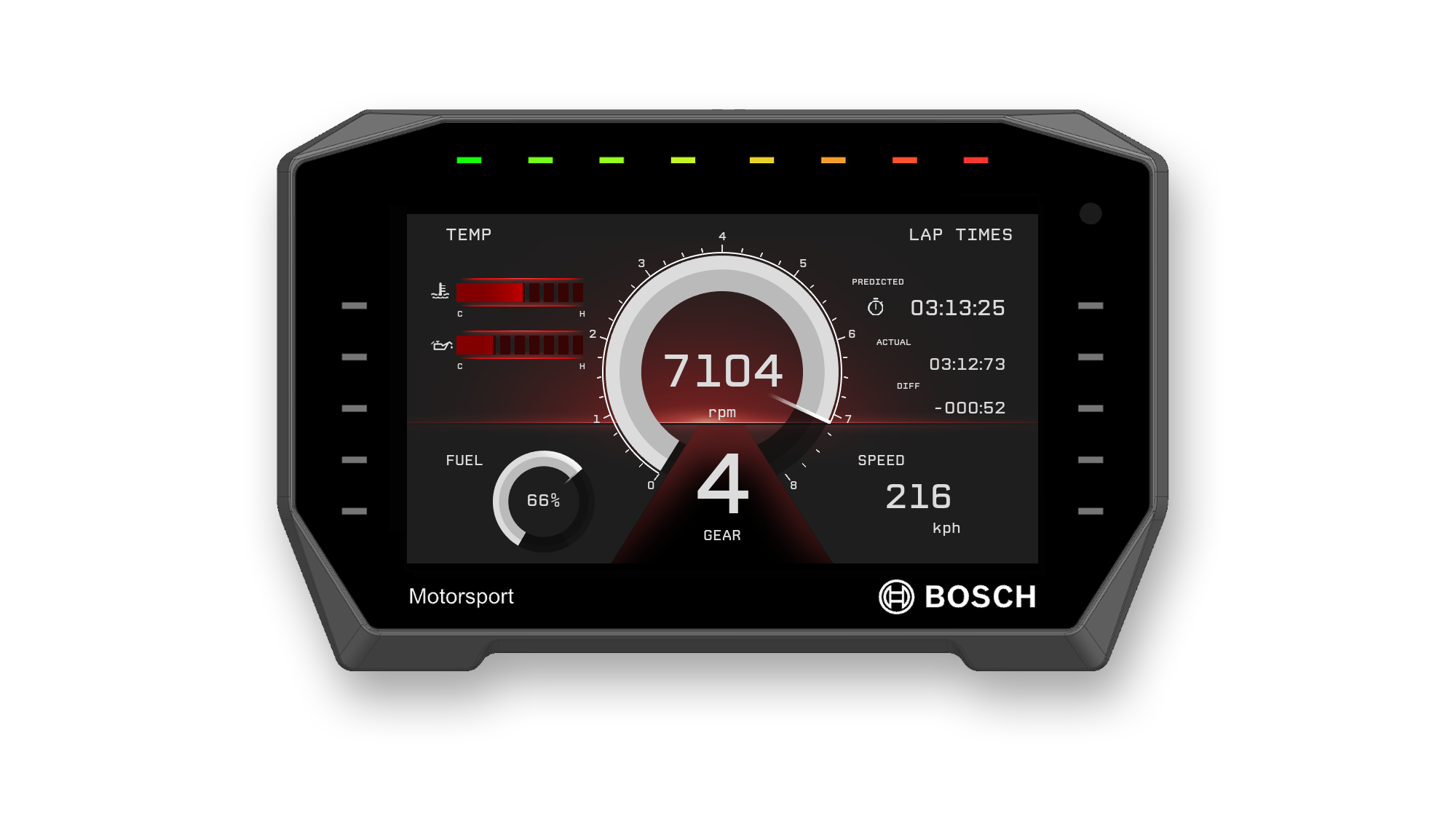
Manufacturer product photographs: ECUMASTER ADU product page and Bosch DDU 11 product image. Images belong to ECUMASTER and Bosch Motorsport respectively.
ECUMASTER ADU5 and ADU7

The Advanced Display Unit range has 5-inch and 7-inch colour displays with configurable pages, warnings and shift LEDs. The manufacturer also lists an ADU7 Autosport variant; check the exact connector and enclosure specification for the version being installed. Channels can be logged to a USB flash drive at up to 500 Hz. An external GPS system or IR beacon can provide lap timing and predictive timing; a GPS module is an additional component. [1] [2]
ECUMASTER provides configurable CAN templates for a range of engine management systems. The template and actual ECU output must be matched to the installation. Consult the manual for the USB wiring and drive setup needed for standalone recording. [1] [3]
Data Master is ECUMASTER's analysis software for ADU and other compatible ECUMASTER loggers. Its listed tools include mathematical channels, video synchronisation and track-segment analysis. [4]
Bosch Motorsport DDU 11

DDU 11 is a programmable colour dashboard with integrated data logging. Bosch specifies 4 GB internal storage, up to 100 channels and a 20 Hz recording rate in its basic logging function. Optional upgrades enable full logging up to 1 kHz and a second 4 GB partition; an external GPS sensor is optional. Verify the licences enabled on the particular unit. [5]
Additional devices connect through interfaces including Ethernet, CAN and RS-232. USB recording is an optional software feature; the operation manual specifies the required upgrades and installation. [5] [6]
Bosch WinDarab V7 supports DDU 11 recordings and can display and compare logged channels and laps. Free and Expert versions are offered, with functions and licences differing between them. [7] [8]
Pinouts and cabling
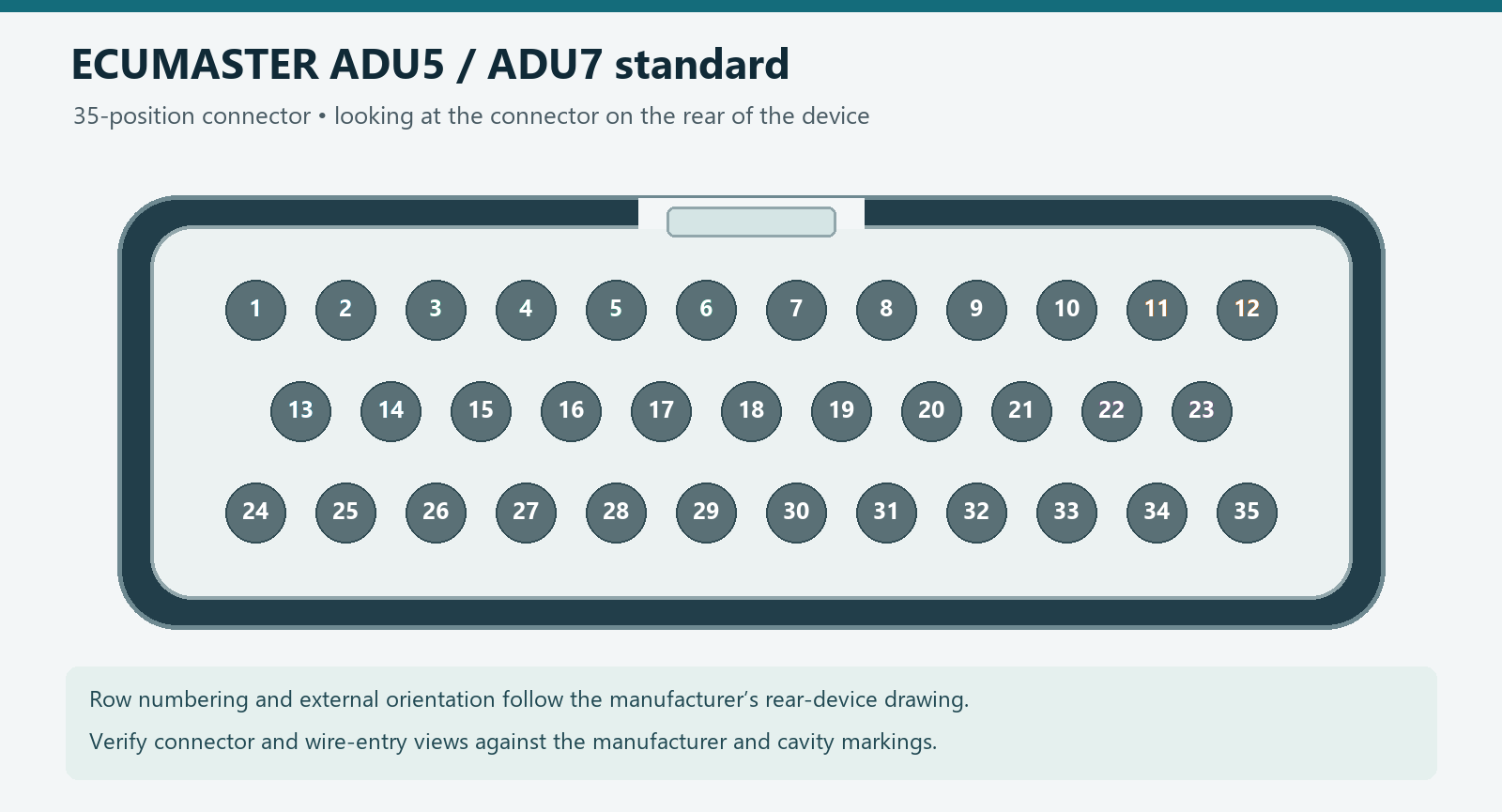
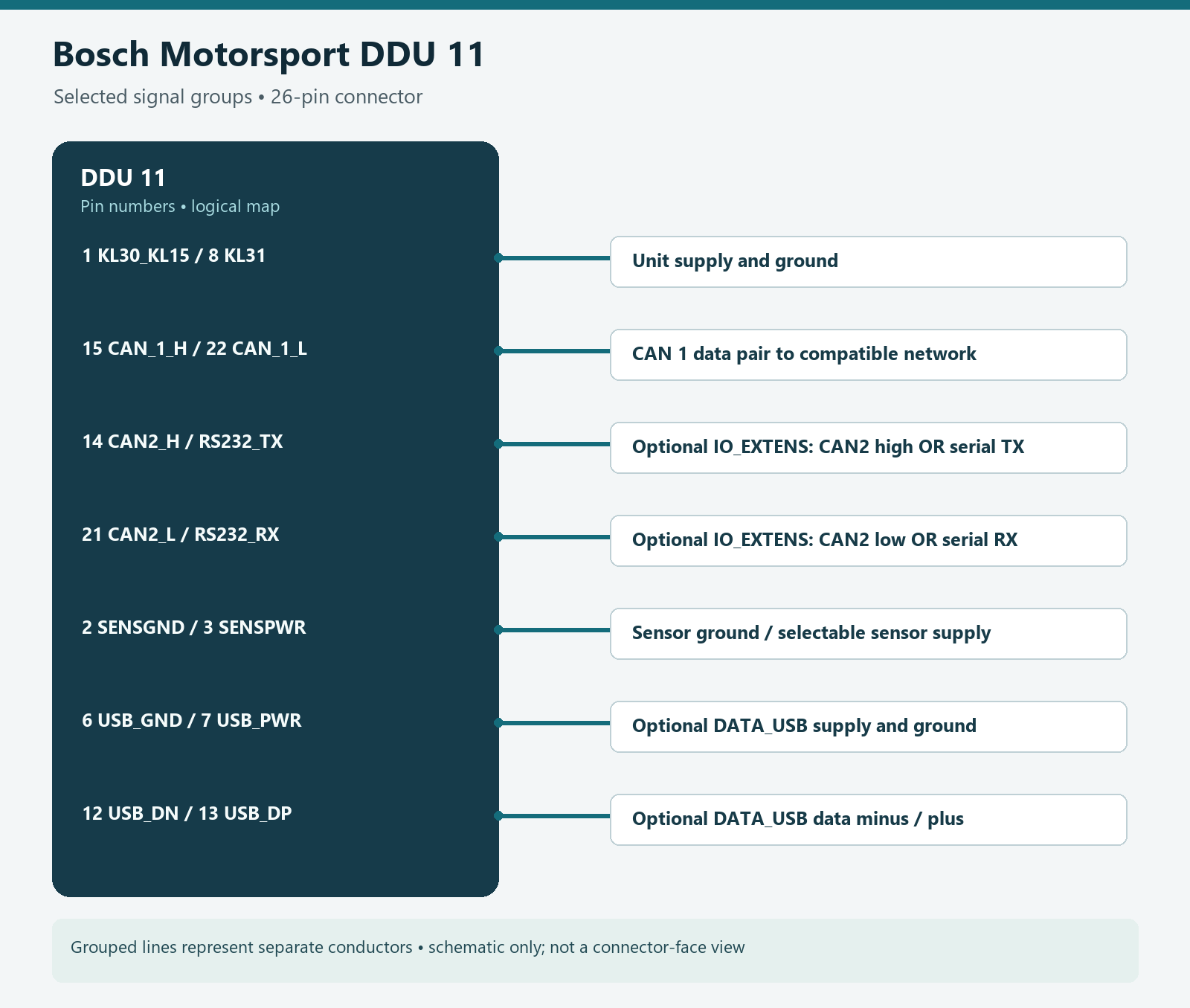
For model-specific connector assignments, diagrams and harness information, see ECUMASTER dataloggers and displays and Bosch Motorsport dataloggers and telemetry. Confirm the exact model and connector before wiring.
Choosing and using a dash logger
- Check required screen size, mounting, connector variant, power supply and sensor inputs against the chosen model and revision.
- Confirm the ECU's CAN protocol, speed and available signals, then configure and verify the logger's channel scaling. A supported template does not guarantee every car outputs every desired measurement.
- Confirm whether GPS, external storage, wiring and software upgrades are included. Maximum sampling rates are device capabilities; choose and verify rates appropriate to each signal.
- Before a session, confirm that recording starts, storage is writable and relevant channels show plausible values. Follow applicable motorsport installation and mounting rules.
Sources and further reading
- ECUMASTER: ADU product information and downloads.
- ECUMASTER: product catalogue, ADU5, ADU7 and ADU7 Autosport.
- ECUMASTER: ADU user manual.
- ECUMASTER: Data Master.
- Bosch Motorsport: DDU 11.
- Bosch Motorsport: DDU 11 operation manual.
- Bosch Motorsport: WinDarab supported devices.
- Bosch Motorsport: WinDarab V7.