Removed text is struck through; added text is highlighted.
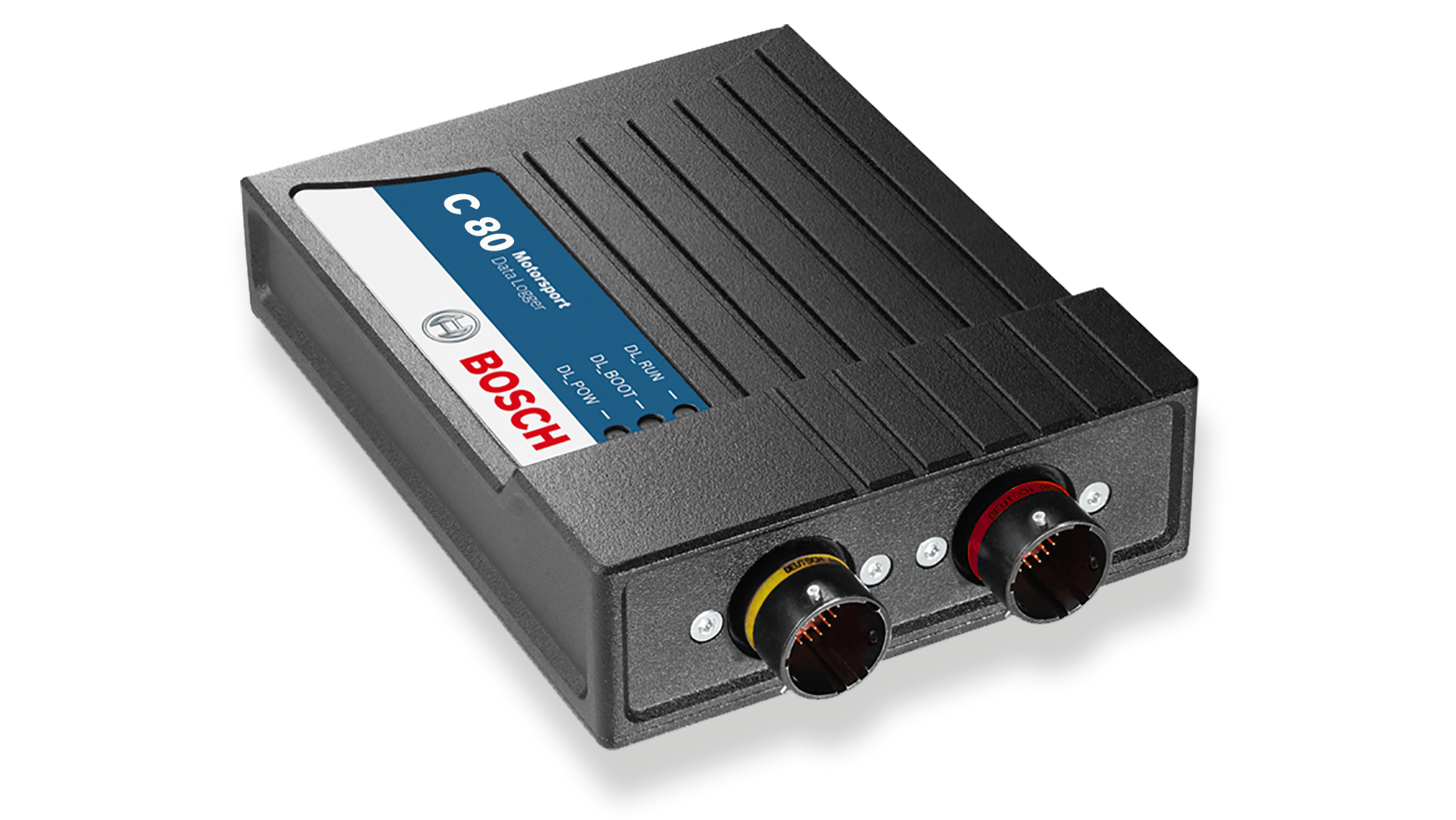
C 80 is offered as a data logger or as a sensor interface with different enabled features. The logger includes a 4 GB first partition, 1,500 channels and 1 ms sampling; 16 GB first partition, second 4 GB partition, DATA_USB, extra input channels and CCP/XCP are options. Interfaces include CAN, Ethernet and RS232. Bosch C 80 product information.
Bosch C 80 logger. Image: Bosch Motorsport, reproduced with permission. Manufacturer source.
Data analysis software
WinDarab V7 example showing lap traces and circuit map. Image: Bosch Motorsport, reproduced with permission; manufacturer product page.
Bosch lists the C 80 among WinDarab-supported devices. Use WinDarab V7 on a PC to examine downloaded logged channels, compare measurements and review traces. The available channels and transfer method depend on the C 80's configuration and enabled options. Bosch supported devices.
WinDarab V7 download, documentation and edition information. RaceCon is a separate configuration tool for compatible devices. See the Bosch Motorsport software overview.
Connector and pinout
Two 41-position connectors are distinct: device ASDD212-41PN and ASDD212-41PA, mating ASDD612-41SN and ASDD612-41SA. Tables use Bosch's device connector identifiers and cavity numbers; confirm the connector key, view and upgrades from the C 80 pin layout.
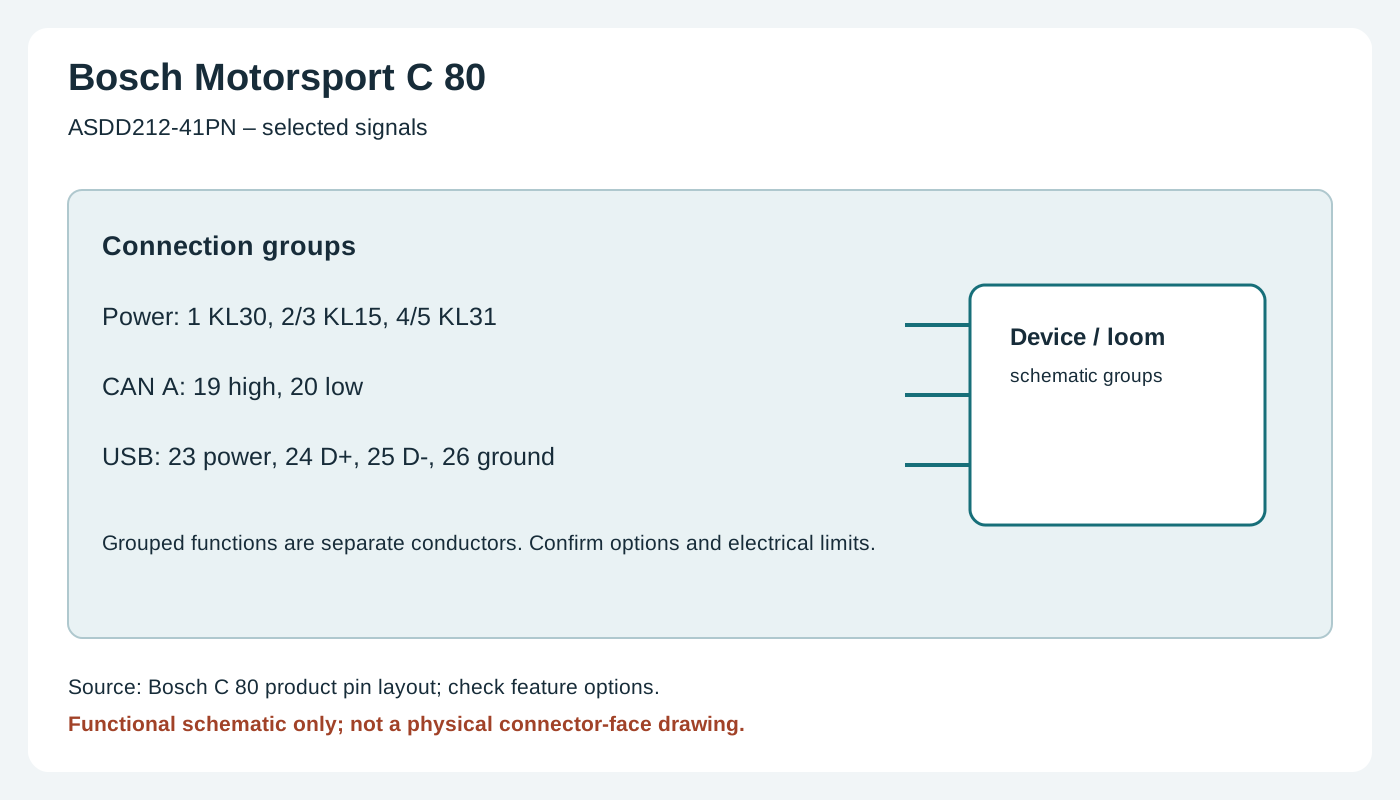
C 80 PN connector selected wiring groups. Original wiki functional schematic, not a connector-face view. Source: Bosch Motorsport documentation; use the manufacturer's drawings and pin numbers.
Confirm the precise model, hardware revision, enabled options and manufacturer's wiring diagram before connecting. Use correct power protection, sensor limits and the chosen ECU protocol; a compatible connector does not guarantee compatible data. Configure in the appropriate Bosch software and verify a short recording or connection. See the Bosch Motorsport manufacturer overview.
Rendered revisions
Open each version to inspect formatting, tables and photographs.
Revision 2: Bosch Motorsport C 80
C 80 is offered as a data logger or as a sensor interface with different enabled features. The logger includes a 4 GB first partition, 1,500 channels and 1 ms sampling; 16 GB first partition, second 4 GB partition, DATA_USB, extra input channels and CCP/XCP are options. Interfaces include CAN, Ethernet and RS232. Bosch C 80 product information.
Bosch C 80 logger. Image: Bosch Motorsport, reproduced with permission. Manufacturer source.
Data analysis software
WinDarab V7 example showing lap traces and circuit map. Image: Bosch Motorsport, reproduced with permission; manufacturer product page.
Bosch lists the C 80 among WinDarab-supported devices. Use WinDarab V7 on a PC to examine downloaded logged channels, compare measurements and review traces. The available channels and transfer method depend on the C 80's configuration and enabled options. Bosch supported devices.
Two 41-position connectors are distinct: device ASDD212-41PN and ASDD212-41PA, mating ASDD612-41SN and ASDD612-41SA. Tables use Bosch's device connector identifiers and cavity numbers; confirm the connector key, view and upgrades from the C 80 pin layout.
C 80 PN connector selected wiring groups. Original wiki functional schematic, not a connector-face view. Source: Bosch Motorsport documentation; use the manufacturer's drawings and pin numbers.
ASDD212-41PN
Pin
Function
1
KL30
2
KL15
3
KL15
4
KL31
5
KL31
6
Ethernet 0 TX+
7
Ethernet 0 TX−
8
Ethernet 0 RX+
9
Ethernet 0 RX−
10
Ethernet shield
11
Ethernet 1 TX+
12
Ethernet 1 TX−
13
Ethernet 1 RX+
14
Ethernet 1 RX−
15
Ethernet 2 TX+
16
Ethernet 2 TX−
17
Ethernet 2 RX+
18
Ethernet 2 RX−
19
CAN A high
20
CAN A low
21
CAN B high
22
CAN B low
23
USB power
24
USB data+
25
USB data−
26
USB ground
27
Sensor power 5V 1
28
Sensor ground
29
Timestamp
30
Low-side ground 1
31
Low-side switch 1
32
Low-side switch 2
33
Low-side switch 3
34
Low-side switch 4
35
Low-side ground 2
36
Analogue M1 1
37
Analogue M1 2
38
Analogue M1 3
39
Analogue M1 4
40
Analogue M1 5
41
Analogue M1 6
ASDD212-41PA
Pin
Function
1
UBATT_FUSE1
2
SENSPWR10_1
3
SENSPWR5_2
4
SENSPWR5_3
5
SENSPWR5_4
6
Sensor ground
7
Sensor ground
8
RS232A TX telemetry
9
RS232A RX telemetry
10
RS232B TX GPS
11
RS232B RX GPS
12
RS232 ground
13
REV1_P
14
REV1_M
15
REV2_P
16
REV2_M
17
REV3_P
18
REV3_M
19
REV4_P
20
REV4_M
21
Analogue M1 7
22
Analogue M1 8
23
Analogue M1 9
24
Analogue M1 10
25
Analogue M1 11
26
Analogue M1 12
27
Analogue M1 13
28
Analogue M1 14
29
Analogue M1 15
30
Analogue M1 16
31
Analogue M2 1
32
Analogue M2 2
33
Analogue M2 3
34
Analogue M2 4
35
Analogue M2 5
36
Analogue M2 6
37
Analogue M2 7
38
Analogue M2 8
39
Analogue M2 9
40
Analogue M2 10
41
Lap trigger
Installation and related information
Confirm the precise model, hardware revision, enabled options and manufacturer's wiring diagram before connecting. Use correct power protection, sensor limits and the chosen ECU protocol; a compatible connector does not guarantee compatible data. Configure in the appropriate Bosch software and verify a short recording or connection. See the Bosch Motorsport manufacturer overview.
Revision 2: Bosch Motorsport C 80
C 80 is offered as a data logger or as a sensor interface with different enabled features. The logger includes a 4 GB first partition, 1,500 channels and 1 ms sampling; 16 GB first partition, second 4 GB partition, DATA_USB, extra input channels and CCP/XCP are options. Interfaces include CAN, Ethernet and RS232. Bosch C 80 product information.
Bosch C 80 logger. Image: Bosch Motorsport, reproduced with permission. Manufacturer source.
Data analysis software
WinDarab V7 example showing lap traces and circuit map. Image: Bosch Motorsport, reproduced with permission; manufacturer product page.
Bosch lists the C 80 among WinDarab-supported devices. Use WinDarab V7 on a PC to examine downloaded logged channels, compare measurements and review traces. The available channels and transfer method depend on the C 80's configuration and enabled options. Bosch supported devices.
Two 41-position connectors are distinct: device ASDD212-41PN and ASDD212-41PA, mating ASDD612-41SN and ASDD612-41SA. Tables use Bosch's device connector identifiers and cavity numbers; confirm the connector key, view and upgrades from the C 80 pin layout.
C 80 PN connector selected wiring groups. Original wiki functional schematic, not a connector-face view. Source: Bosch Motorsport documentation; use the manufacturer's drawings and pin numbers.
ASDD212-41PN
Pin
Function
1
KL30
2
KL15
3
KL15
4
KL31
5
KL31
6
Ethernet 0 TX+
7
Ethernet 0 TX−
8
Ethernet 0 RX+
9
Ethernet 0 RX−
10
Ethernet shield
11
Ethernet 1 TX+
12
Ethernet 1 TX−
13
Ethernet 1 RX+
14
Ethernet 1 RX−
15
Ethernet 2 TX+
16
Ethernet 2 TX−
17
Ethernet 2 RX+
18
Ethernet 2 RX−
19
CAN A high
20
CAN A low
21
CAN B high
22
CAN B low
23
USB power
24
USB data+
25
USB data−
26
USB ground
27
Sensor power 5V 1
28
Sensor ground
29
Timestamp
30
Low-side ground 1
31
Low-side switch 1
32
Low-side switch 2
33
Low-side switch 3
34
Low-side switch 4
35
Low-side ground 2
36
Analogue M1 1
37
Analogue M1 2
38
Analogue M1 3
39
Analogue M1 4
40
Analogue M1 5
41
Analogue M1 6
ASDD212-41PA
Pin
Function
1
UBATT_FUSE1
2
SENSPWR10_1
3
SENSPWR5_2
4
SENSPWR5_3
5
SENSPWR5_4
6
Sensor ground
7
Sensor ground
8
RS232A TX telemetry
9
RS232A RX telemetry
10
RS232B TX GPS
11
RS232B RX GPS
12
RS232 ground
13
REV1_P
14
REV1_M
15
REV2_P
16
REV2_M
17
REV3_P
18
REV3_M
19
REV4_P
20
REV4_M
21
Analogue M1 7
22
Analogue M1 8
23
Analogue M1 9
24
Analogue M1 10
25
Analogue M1 11
26
Analogue M1 12
27
Analogue M1 13
28
Analogue M1 14
29
Analogue M1 15
30
Analogue M1 16
31
Analogue M2 1
32
Analogue M2 2
33
Analogue M2 3
34
Analogue M2 4
35
Analogue M2 5
36
Analogue M2 6
37
Analogue M2 7
38
Analogue M2 8
39
Analogue M2 9
40
Analogue M2 10
41
Lap trigger
Installation and related information
Confirm the precise model, hardware revision, enabled options and manufacturer's wiring diagram before connecting. Use correct power protection, sensor limits and the chosen ECU protocol; a compatible connector does not guarantee compatible data. Configure in the appropriate Bosch software and verify a short recording or connection. See the Bosch Motorsport manufacturer overview.