Removed text is struck through; added text is highlighted.
Configurable in-car display; data logging and its control functions depend on the installed options and configuration.
A verified manufacturer product photograph for this model is not yet available.
Specifications and capabilities
The manufacturer's software guide describes unit-control inputs including logging controls. Verify the particular unit's installed logging, GPS, input and display options. Manufacturer specifications and documentation.
Race Technology's DASH5 PRO operating guide describes configurable display pages and menu controls. Its unit-control documentation describes MENU, SET, UP and DOWN buttons on the standard loom, and separate internal-logging and external-logger controls where enabled. Some advanced control text is explicitly marked as unfinished or disabled; this is software guidance, not a verified list of production-hardware features.Race Technology’s shift-light configuration guide says the final unit’s LED count was not yet finalised. Its run-status protocol also reserves a product-type value for DASH5PRO. These references document software and protocol naming, but do not establish a released hardware specification, photograph or connector pinout.Data analysis softwareThe manufacturer describes logging controls for an external logger and optional internal logging, but the released hardware and exact recording compatibility have not been verified. Race Technology Analysis is shown here as a related software example; confirm support for the actual unit and recording before use. Manufacturer documentation.Race Technology Analysis example; the available channels and video depend on the recording and enabled options. Image: Race Technology, reproduced with permission; manufacturer source.Download Race Technology software for Windows. Check the current version and any licence or hardware requirements; some advanced functions require a unit-linked licence. See the Race Technology software overview for features and licensing.
Pinouts and cabling
The available manufacturer pages describe software and button functions but do not establish numbered connector contacts, loom colours or a connector-face view. No model-specific pinout or identifiable manufacturer product photograph has been verified. Request the DASH5 PRO hardware manual for the exact unit and revision from Race Technology before wiring; do not substitute DASH2 PRO assignments or an image of a different model.A complete DASH5 PRO-specific connector pinout and a verified connector-face diagram are not yet available on this page. Obtain the installation document matching the actual hardware revision from the manufacturer; do not assume DASH2 PRO pins are interchangeable.
Manufacturer connection reference.
Check the connector number, version and options on the actual unit against the manufacturer's documentation before wiring. Disconnect power before changing connections.
Wiring overview
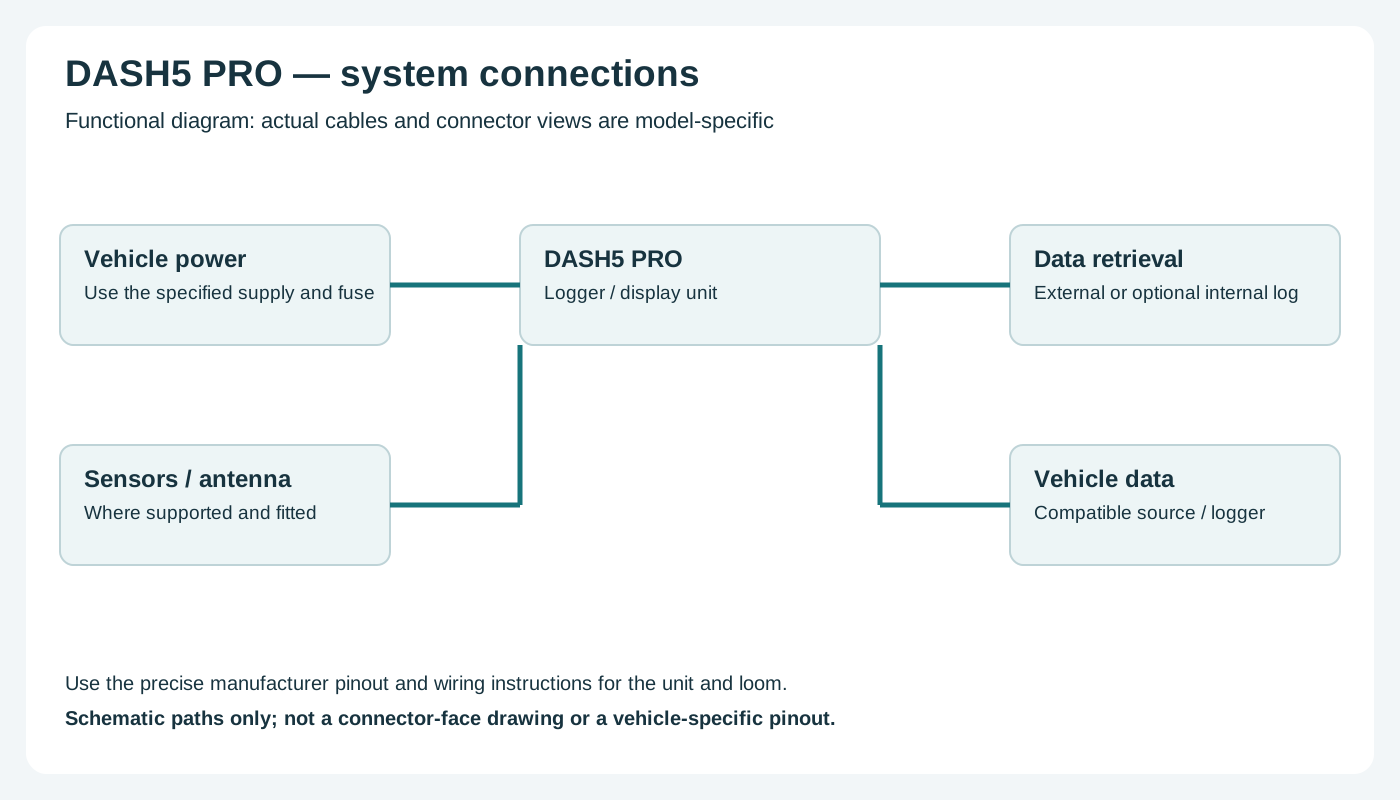
Functional wiring overview; not a connector-face diagram. Confirm actual connections with the manufacturer.
Return to the Race Technology manufacturer page.
Rendered revisions
Open each version to inspect formatting, tables and photographs.
Revision 1: Race Technology DASH5 PRO
Configurable in-car display; data logging and its control functions depend on the installed options and configuration.
A verified manufacturer product photograph for this model is not yet available.
Specifications and capabilities
The manufacturer's software guide describes unit-control inputs including logging controls. Verify the particular unit's installed logging, GPS, input and display options. Manufacturer specifications and documentation.
Pinouts and cabling
A complete DASH5 PRO-specific connector pinout and a verified connector-face diagram are not yet available on this page. Obtain the installation document matching the actual hardware revision from the manufacturer; do not assume DASH2 PRO pins are interchangeable.
Check the connector number, version and options on the actual unit against the manufacturer's documentation before wiring. Disconnect power before changing connections.
Wiring overview
Functional wiring overview; not a connector-face diagram. Confirm actual connections with the manufacturer.
Configurable in-car display; data logging and its control functions depend on the installed options and configuration.
A verified manufacturer product photograph for this model is not yet available.
Specifications and capabilities
The manufacturer's software guide describes unit-control inputs including logging controls. Verify the particular unit's installed logging, GPS, input and display options. Manufacturer specifications and documentation.
Race Technology's DASH5 PRO operating guide describes configurable display pages and menu controls. Its unit-control documentation describes MENU, SET, UP and DOWN buttons on the standard loom, and separate internal-logging and external-logger controls where enabled. Some advanced control text is explicitly marked as unfinished or disabled; this is software guidance, not a verified list of production-hardware features.
Race Technology’s shift-light configuration guide says the final unit’s LED count was not yet finalised. Its run-status protocol also reserves a product-type value for DASH5PRO. These references document software and protocol naming, but do not establish a released hardware specification, photograph or connector pinout.
Data analysis software
The manufacturer describes logging controls for an external logger and optional internal logging, but the released hardware and exact recording compatibility have not been verified. Race Technology Analysis is shown here as a related software example; confirm support for the actual unit and recording before use. Manufacturer documentation.
Race Technology Analysis example; the available channels and video depend on the recording and enabled options. Image: Race Technology, reproduced with permission; manufacturer source.
The available manufacturer pages describe software and button functions but do not establish numbered connector contacts, loom colours or a connector-face view. No model-specific pinout or identifiable manufacturer product photograph has been verified. Request the DASH5 PRO hardware manual for the exact unit and revision from Race Technology before wiring; do not substitute DASH2 PRO assignments or an image of a different model.
Check the connector number, version and options on the actual unit against the manufacturer's documentation before wiring. Disconnect power before changing connections.
Wiring overview
Functional wiring overview; not a connector-face diagram. Confirm actual connections with the manufacturer.