ECULog is a compact logger for ECU and compatible expansion data. An external GPS module can be connected; do not assume it contains XLog's integrated GPS and inertial system. For the range overview see AiM in-car dataloggers.
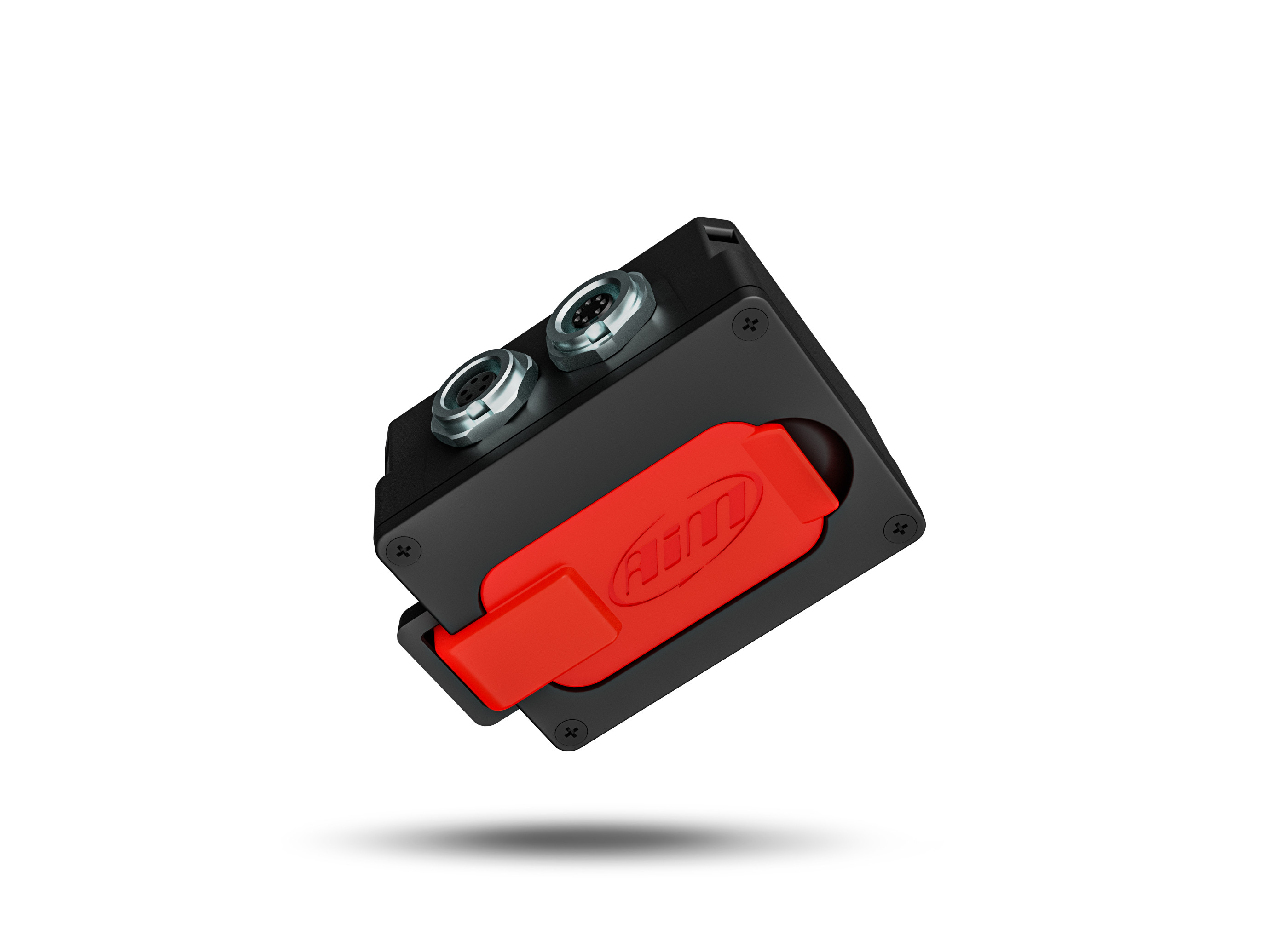
Specifications
| Item | Specification |
|---|---|
| ECU connection | CAN, RS232 or K-Line; requires the appropriate ECU cable |
| Expansion | GPS09c, ACC3, LCU and supported SmartyCam modules |
| Storage | 4 GB internal plus 16 GB removable USB-C memory |
| External power | 9–15 V |
| Connectors / case | 5-pin EXP and 7-pin ECU Binder 712; IP67 |
Specifications and kit contents: AiM AiM ECULog technical documentation. Check hardware generation and exact kit.
Pinout
AiM identifies Binder 712 female sockets in external device view. ECU is seven-pin, so the eight-pin XLog connector table must not be applied.
EXP, five pins
| Pin | Function |
|---|---|
| 1 | CAN high / CAN+ expansion |
| 2 | Ground |
| 3 | +Vb out |
| 4 | CAN low / CAN− expansion |
| 5 | +Vb external |
ECU, seven pins
| Item | Specification |
|---|---|
| 1 | CAN ECU+ |
| 2 | CAN ECU− |
| 3 | +Vb external |
| 4 | ECU RS232 TX |
| 5 | ECU RS232 RX |
| 6 | K-Line |
| 7 | Ground |
Wiring and installation
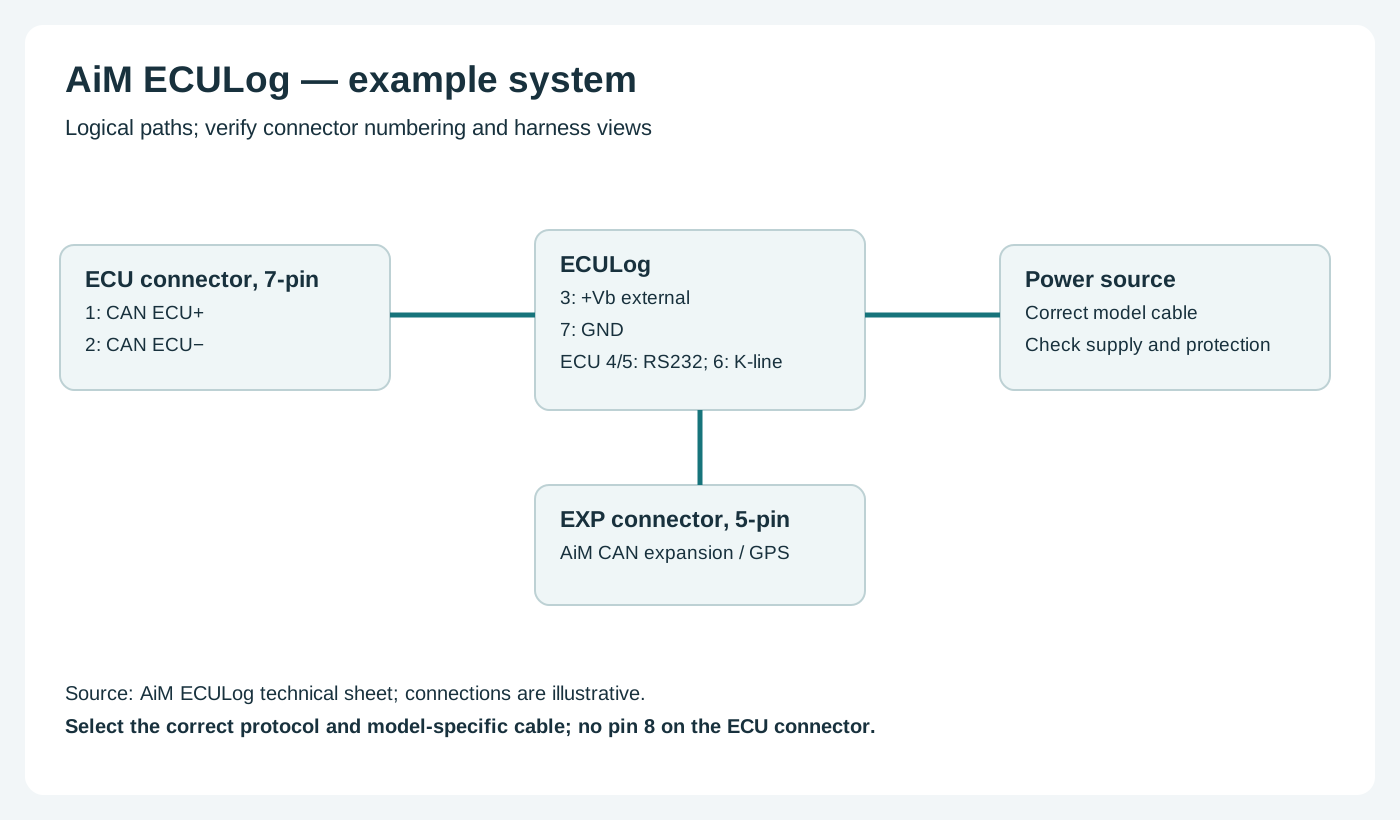
AiM lists separate 2 m CAN/RS232/external-power and CAN/OBD-II/K-Line/external-power kits. Select the correct ECU protocol; GPS, sensor and camera expansions require compatible modules and the right cables.
Choose the correct model-specific lead and configure the ECU protocol in Race Studio 3. A connector shape alone does not establish vehicle compatibility. Confirm every cavity number, signal level, ground, power source and electrical limit in the linked AiM documentation before wiring; diagrams are from the device view or a conceptual schematic as stated. Secure the loom and make connections with power disconnected.
Software and further reading
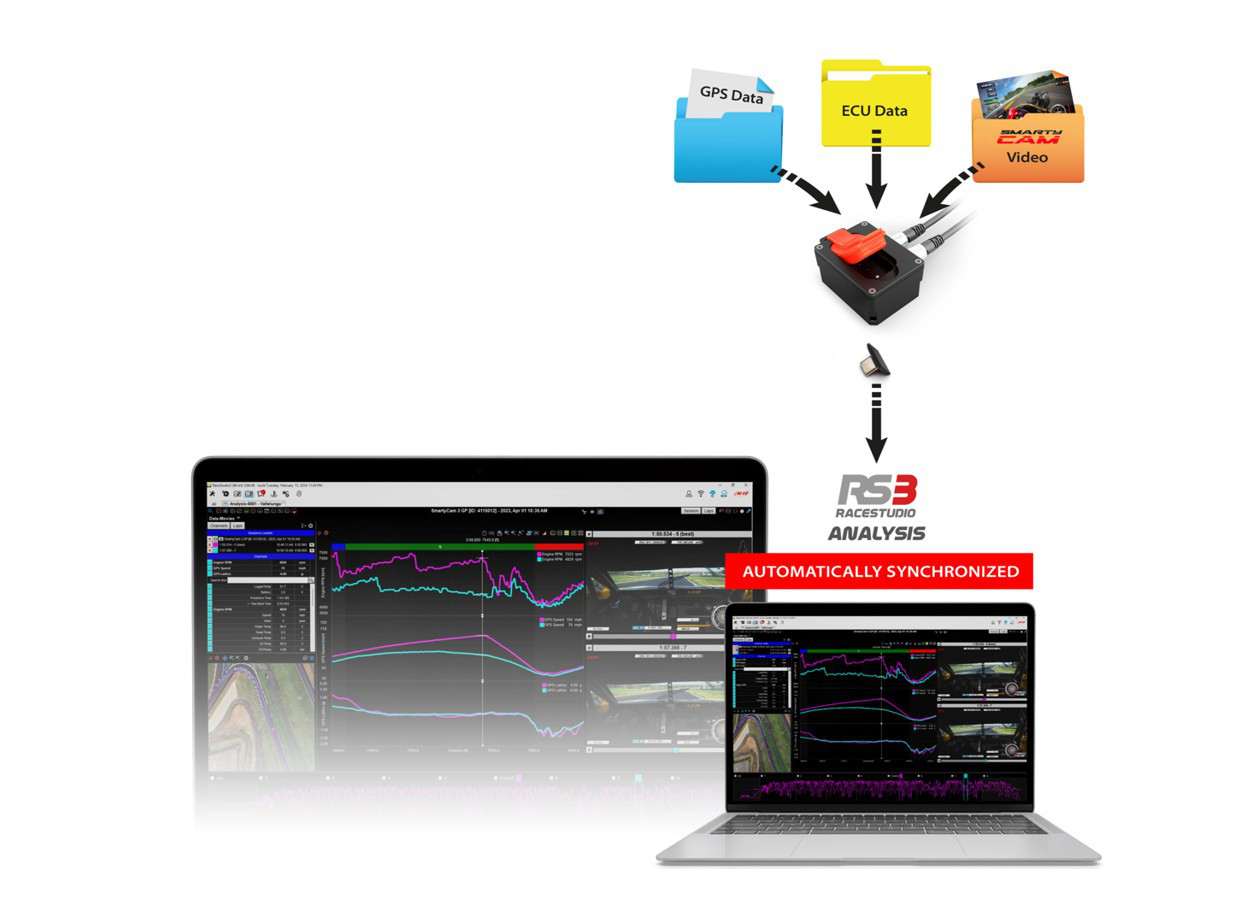
Analysis and download: ECULog sessions can be transferred using its removable USB-C key. Race Studio 3 Analysis can compare the recorded ECU and expansion data; GPS and video views require compatible equipment and recordings. AiM model guidance. Download the Windows software from AiM Race Studio 3 software downloads. For capabilities and compatibility see AiM data-log analysis software.
Use AiM Race Studio 3 to configure supported devices and analyse recorded sessions. Check the specific ECU protocol and cable before connection; not every source exposes every channel. Manufacturer references: model documentation.