RaceCapture/Pro MK4 is a motorsport data logger with configurable sensor inputs, CAN acquisition and optional live telemetry hardware.
Specifications and operation
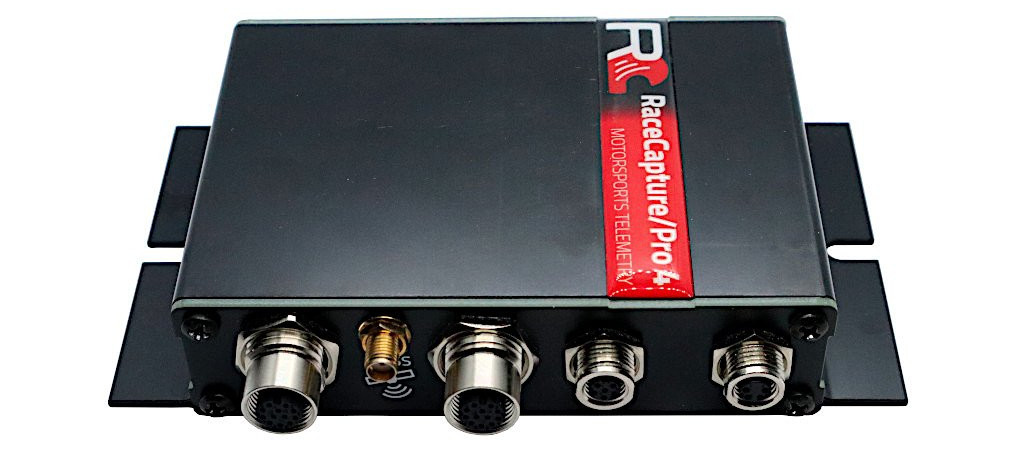
The Pro MK4 is a more sensor-oriented logger with two CAN 2.0 buses, an external GNSS antenna, inertial sensors and microSD storage. Its specification lists eight external 0–5 V analogue inputs plus supply voltage, four digital I/O channels and four timer/RPM inputs. Wi-Fi and Bluetooth are integrated; 4G LTE telemetry is an option. Confirm the unit's fitted hardware, antenna, SIM, plan and regional network support. The documentation lists a maximum 10 Hz cellular telemetry rate, distinct from higher rates supported by sensor inputs; not every recorded channel is necessarily sent at its local rate.
Autosport Labs describes eight external 0–5 V analogue inputs, four GPIO, four timer/RPM inputs and 9–24 V input power; rates, accessories and cellular option depend on configuration. Hardware installation and specifications.
Data analysis software
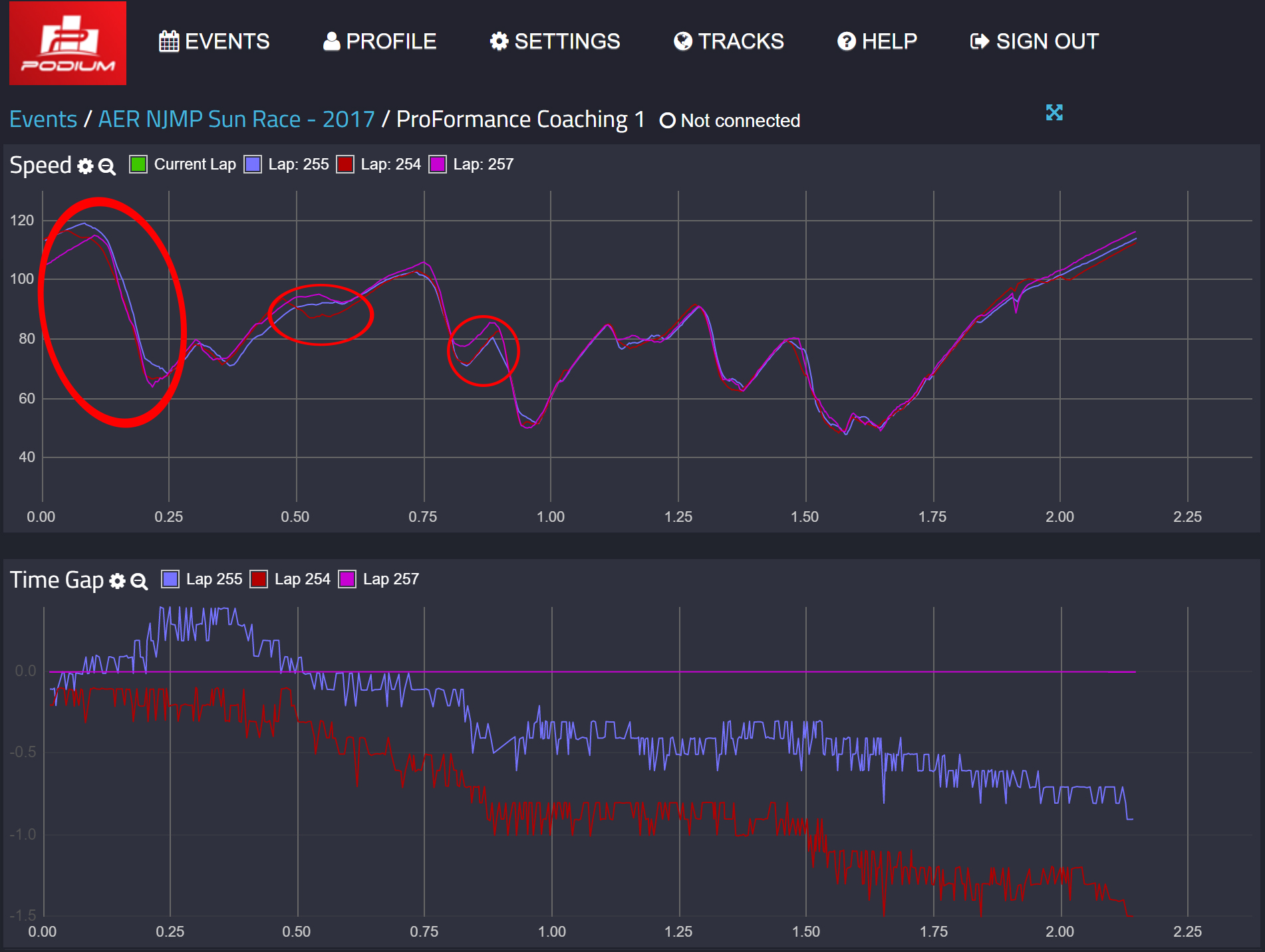

The RaceCapture app configures the Pro MK4 and supports local log analysis. The Pro records to microSD; remote telemetry requires the fitted connection hardware and service. Check the specific unit's cellular option. See the manufacturer model guide and RaceCapture app guide for setup and analysis. Download the RaceCapture app from Autosport Labs; Podium is the separate online telemetry and session-analysis service. For system requirements and software details see the Autosport Labs manufacturer page.
Pinouts and wiring


The Track MK4 guide and Pro MK4 installation guide list these assignments for their 4-pin CAN1/power and 6-pin CAN1/CAN2/power connectors. Power is specified as 9–24 V; the guides list 1 A (approximately 12 W at 12 V). Use suitable protection and verify the system’s power and connected-device requirements.
| M8 4-pin | Function | M8 6-pin | Function |
|---|---|---|---|
| 1 | CAN 1 low | 1 | CAN 1 low |
| 2 | Power | 2 | CAN 2 low |
| 3 | CAN 1 high | 3 | CAN 2 high |
| 4 | Ground | 4 | Ground |
| — | — | 5 | CAN 1 high |
| — | — | 6 | Power |
For the manufacturer's M8 four-pin pigtail, the colour legend is white CAN low, red power, green CAN high and black ground; do not generalise these colours to other cables. Autosport Labs describes an M8-to-OBD-II adapter for compatible vehicles and a six-pin to dual four-pin splitter for separating CAN1 and CAN2. The harness guide documents extensions, splitters, an inline terminator and the powered dual-CAN hub; a suitable additional power arrangement may be needed for peripherals. Confirm the actual vehicle protocol, channel mapping, supply and network termination rather than relying on the OBD socket shape.
Analogue and digital M12 connectors
The Pro MK4 has separate 12-pin female M12 connectors for analogue and digital/RPM sensors. The following is the manufacturer's analogue/digital mapping table; select the actual analogue or digital connector and matching harness. The source labels pin 9 “Analog/Digital B” without a further number; its mappings are shown without inventing one.
| Pin | Analogue mapping | Digital mapping |
|---|---|---|
| 1 | Analogue 5 | GPIO 1 |
| 2 | Analogue 6 | GPIO 2 |
| 3 | Analogue 8 | GPIO 4 |
| 4 | Analogue 1 | Timer/RPM 1 |
| 5 | Analogue 2 | Timer/RPM 2 |
| 6 | Vref, 5 V at 0.5 A | Vref, 5 V at 0.5 A |
| 7 | Analogue 3 | Timer/RPM 3 |
| 8 | Analogue 4 | Timer/RPM 4 |
| 9 | Analogue 7 | GPIO 3 |
| 10 | Ground | Ground |
| 11 | Ground | Ground |
| 12 | Ground | Ground |
Analogue inputs and GPIO have different operating limits and configuration; consult the installation guide before connecting a sensor. For a coil-primary RPM source, Autosport Labs recommends a CoilX buffer/filter rather than connecting the noisy high-voltage signal directly.
Match the CAN bitrate and channel mapping to the ECU or data system, verify CAN high and low, and configure termination for the existing network rather than automatically adding another resistor. The manufacturer CAN integration guide describes model-specific termination. Use the correct GPS and, if fitted, cellular antenna for the device and follow its installation guide. Powered hubs, pigtails, ECU interface cables, sensors, data plans and antennas can be separate accessories depending on the kit.
See the Autosport Labs manufacturer guide.